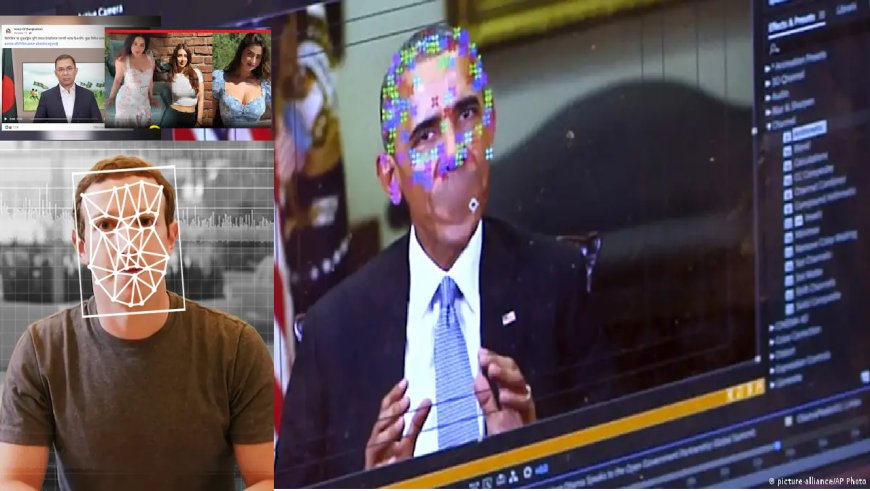
The use of AI on social media has exploded. Some people create deepfake content just for fun, while others do it for specific purposes. These AI-generated photos, audio clips, and videos are flooding online platforms. Previously, such manipulation required Photoshop or video editing skills, but now anyone can easily fake a person’s face, voice, or entire appearance using AI tools. So, don’t believe a video or picture at first glance—use the following strategies to identify whether it’s fake or a deepfake.
Visible Inconsistencies
Many smartphones now come with direct AI-editing features, such as Google’s “Add Me” feature on Pixel 9. While these tricks enhance photos, they also leave behind telltale inconsistencies. For example:
Eyes and blinking:
A normal person blinks frequently, but in deepfakes eye movement may appear unnatural, with too much or too little blinking. The pupils or surrounding shadows may also look odd.
Facial expressions:
There may be mismatches between facial expressions and speech. The emotions may not align with the expressions.
Skin texture:
Deepfake videos may show skin that looks unnaturally smooth or overly wrinkled. The tone of the face may not match the neck or other body parts.
Lip movement:
Lip movement may not sync with the audio, or the edges of the lips may appear blurred.
Lighting and shadows:
Lighting direction may look unnatural because AI cannot fully mimic real-world light physics.
Physical inconsistencies:
Small details like hands, teeth, or ears often look off. Hairlines or earrings may appear blurry or flicker due to glitches.
Background:
Deepfakes often have a background that is less sharp or changes abruptly.
Technical Techniques
AI image generators like Midjourney have made deepfakes extremely easy to produce. Still, several reliable methods can help verify them:
Source verification:
Check where the content originated. If it does not come from a known or reliable source, treat it with suspicion.
Reverse image search:
Use Google Image Search or TinEye to find the original version of the photo or video thumbnail. This helps identify if the content has been altered.
Metadata analysis:
Examine the file’s metadata, which may include creation and modification dates. Deepfake tools often alter or delete this data.
Specialized tools:
Tools like Microsoft’s Video Authenticator or Intel’s FakeCatcher can detect deepfakes. However, these are not always easily accessible to the general public.
Fact-checking websites:
If the content is viral, search for it on Google Fact Check Explorer or other trusted fact-checking organizations.
Why Metadata Matters
As a regular user, the most important thing is to stay skeptical and review inconsistencies before sharing any content. This can be done through metadata analysis. Look for:
Camera or device model:
Authentic files usually show the exact device name (e.g., Canon EOS 5D Mark IV or iPhone 14 Pro). Fake or edited files may show generic names like “Digital Camera” or omit this entirely.
Time and date:
Metadata includes the exact time and date when the file was created or last modified. If this does not match the claimed timeline, the file may be fake.
Software or program:
If the file was edited using software like Adobe Photoshop or Premiere Pro, the metadata may show the program name and version. Sometimes even AI image generator names appear here.
Location (GPS):
Many smartphone photos include GPS coordinates. This helps verify whether the image was actually taken at the claimed location.
Other parameters:
Resolution, file size, exposure settings, and other details can also reveal clues.
Why Metadata Analysis Is Critical
Missing data:
Fraudsters often remove metadata to avoid detection. Completely empty metadata is a red flag.
Inconsistent information:
If the metadata says the photo was taken with an iPhone but the image shows characteristics of a professional camera lens—this is suspicious.
Editing traces:
If metadata clearly mentions an AI image generator, the authenticity is easy to challenge.
DBTech/MUIM/OR