
























MRT Launches Online Rapid Pass Recharge for Hassle-Free Metro Travel
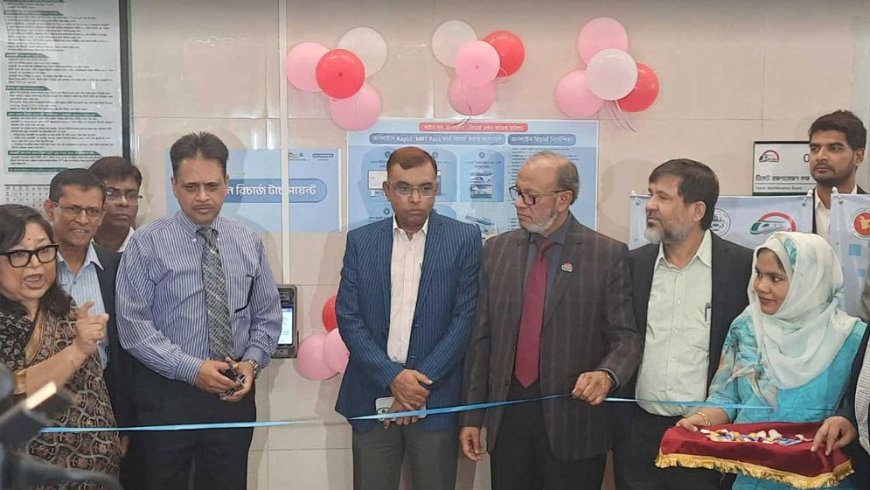


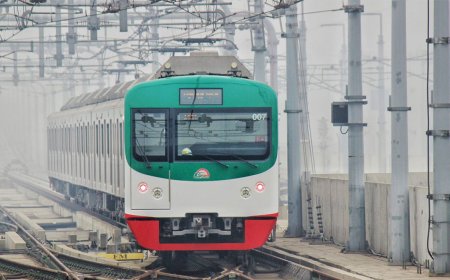
To enhance convenience for metro rail passengers, the authorities have introduced an online recharge system for MRT or Rapid Pass cards. As a result, passengers no longer need to stand in line at station counters.
On Tuesday, 25 November, the process was inaugurated at the Agargaon station of the metro rail. Sheikh Moinuddin, Special Assistant to the Chief Adviser assigned to the Ministry of Road Transport and Bridges; Nikhil Kumar Das, Additional Secretary of the Ministry; and Nilima Akhter, Executive Director of the Dhaka Transport Coordination Authority (DTCA), spoke at the event.
At the ceremony, DTCA Executive Director Nilima Akhter, representing the institution implementing the online recharge, said, “Today is truly a long-awaited day for us. Many had been saying that standing in long queues at stations was causing significant hassle and suffering. We have been working for a long time to reduce this burden. Today we are launching this initiative, which will make our public transport system more modern, convenient, safe, and timely.”
She added, “There are now 16 stations on the metro rail network. We have installed two machines in each station. You can recharge from home or outside the station, and once you tap your card on the machine, the recharge will be validated.”
How to Recharge the Rapid Pass
To recharge online, users must first register on the website www.rapidpass.com.bd or through the app, and register their Rapid Pass card if required.
Any payment method can be used for online recharge, but the recharge will remain in a ‘Pending’ state until the user taps the card on an AVM (Automated Validation Machine). After tapping, users must ensure the balance has been updated. A confirmation SMS will be sent to the registered mobile number after a successful recharge.
Users can recharge a minimum of Tk 100 and a maximum of Tk 5,000 at a time. No new recharge can be done until the previous pending recharge is validated. Recharging is not possible if the card is blacklisted, refunded, or invalid. Users can view their recharge history through the app or web portal.
In case of cancellation, users may request a refund within seven days before tapping on an AVM—subject to a 5% service fee deduction. If a recharge is completed online for a blacklisted card but cannot be validated, the user may request a refund, and the same 5% service charge will apply.
DBTech/JN/IK/OR